
How to Repurpose YouTube Videos
How to repurpose YouTube videos into TikToks, Shorts, and Reels — a step-by-step workflow for turning one long upload into a week of cross-platform short-form content.
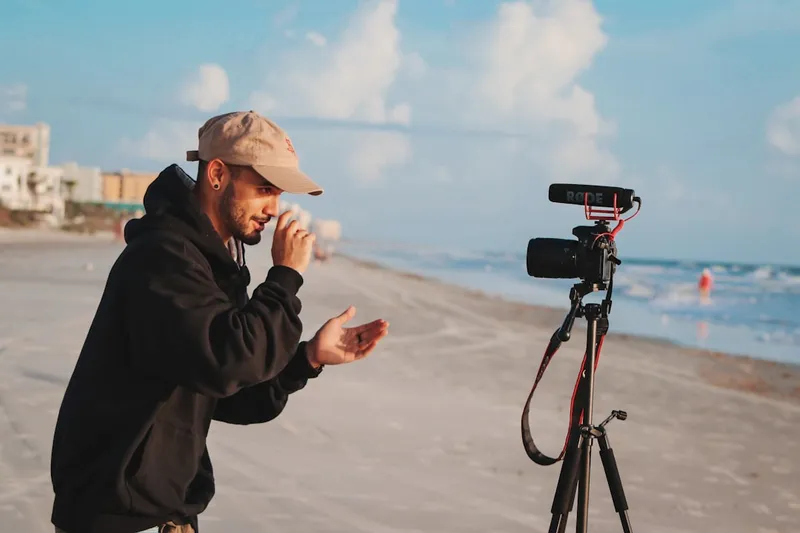
Every long YouTube video you publish is already a week of short-form content — you just haven't cut it up yet. Repurposing is the highest-leverage move in content right now: one upload, distributed natively across TikTok, YouTube Shorts, and Instagram Reels, reaching three different audiences for a fraction of the effort of making three separate videos.
This guide walks through the full workflow — what to clip, how to adapt each clip per platform, and how to do it in minutes instead of hours.
Why repurpose YouTube videos at all?
Three reasons it compounds:
- Different algorithms, different audiences. TikTok, Shorts, and Reels each surface content to people who'll never see your long-form video. Repurposing multiplies reach without multiplying production.
- Short-form drives long-form. A strong clip is a trailer. Viewers who like the 45-second version go watch the full 30-minute one — especially on YouTube, where Shorts and long-form live on the same channel.
- Consistency without burnout. The algorithms reward frequent posting. One long video gives you enough clips to post daily for a week, so you stay consistent without filming more.
Step 1: Find the moments worth clipping
The hardest part of repurposing is deciding what to clip. Look for self-contained moments: a strong opinion, a surprising stat, a clear how-to step, an emotional beat, or a punchy one-liner. Each should make sense to someone who hasn't watched the rest of the video.
Doing this manually means scrubbing the whole timeline. The faster path is to let AI score the video for you — a tool like Short.now analyzes the entire upload and ranks the best clip candidates automatically, so you start from a shortlist instead of a blank timeline.
Step 2: Adapt each clip per platform
This is where most creators go wrong — they post the identical file everywhere. The core clip can be shared, but tune three things per platform:
| Platform | Hook style | Ideal length | Notes |
|---|---|---|---|
| TikTok | Fast, trend-aware, bold | 30–60s | Most forgiving of raw, native-feeling clips |
| YouTube Shorts | Curiosity-driven; ties to long-form | Up to 60s | Drives subscribers to your full videos |
| Instagram Reels | Result / transformation framing | 30–90s | Watch the caption safe zone under the UI |
Step 3: Convert and format for each destination
Once you've picked the moments, the mechanical work is conversion — reframing to 9:16, captioning, and removing any source watermark so reach isn't throttled. Rather than re-editing each clip by hand, run the source through a converter built for the destination:
- YouTube to TikTok Converter — paste the link, get TikTok-ready clips.
- YouTube to Instagram Reels Converter — same source, Reels-sized output with safe-zone captions.
- YouTube Shorts Maker — turn the long video into native Shorts.
Each produces a clean, captioned, correctly-sized clip without a watermark — which matters, because a leftover TikTok logo on a Reel will quietly tank its distribution.
Step 4: Schedule and post natively
Upload each clip directly to the platform (native uploads outperform links to other apps), space them out across the week, and use platform-native features — trending audio on TikTok and Reels, end screens on Shorts. Then watch which clips overperform and make more like them.
Short.now does steps 1–3 in one pass: upload your YouTube video, and the AI finds the clips, captions them, and reframes them for TikTok, Shorts, and Reels — automatically. The free plan includes 3 videos a month, no card required.
The bottom line
Repurposing isn't about posting the same clip three times — it's about extracting the best moments from content you've already made and giving each platform a version tuned to its audience. Find the moments, adapt the hook, convert cleanly, post natively. Do it with AI and a week's worth of cross-platform content comes out of a single upload. Start with your most popular YouTube video and turn it into Shorts first, then branch out to TikTok and Reels.
Frequently Asked Questions
No — platforms don't penalize content for existing elsewhere. The one real risk is a visible third-party watermark (e.g. a TikTok logo on a Reel), which can suppress reach. Always export clean and, ideally, give each platform a slightly different hook. Short.now exports watermark-free by default.
It depends on length and how talk-driven the content is. A 20-minute video usually yields 3–6 strong clips; a 60-minute video or interview yields 8–15. That's enough to feed TikTok, Shorts, and Reels for a week from a single upload.
The core clip can be the same, but the hook should match each platform's audience. TikTok rewards fast, trend-aware openings; YouTube Shorts favors curiosity-driven hooks that tie back to your long-form; Reels does well with result or transformation framing. The captions and aspect ratio should also fit each platform's safe zones.
Use an AI tool that finds the clips for you. Instead of scrubbing the timeline, paste your YouTube link, let the AI surface the best moments, then export platform-specific versions. Short.now does this end to end — clip detection, captions, and 9:16 reframing in one pass.
Ready to stop editing and start publishing?
Short.now turns your long videos into scroll-stopping shorts automatically — in under 2 minutes.
Get started free 3 free videos every month · No credit card needed