Short.now Blog

Guides for creators who want to grow faster

Repurposing strategies, platform tactics, and AI tools for turning one video into a week of content.

Two creators reviewing video clips on a laptop in a studio

How to Clip Long Videos into Short Clips with AI (2026 Guide)

A complete guide to AI clipping — how to turn long videos into short, captioned vertical clips automatically. Covers how it works, manual vs AI, a step-by-step, what makes a clip work, and platform specs.

Read article →
Video editing timeline on a monitor for making short clips

Best Free AI Clip Makers Without Watermark (2026)

The best free AI clip makers that export without a watermark in 2026 — compared on free-tier limits, captions, reframing, and which one actually lets you build a workflow for free.

Read article →
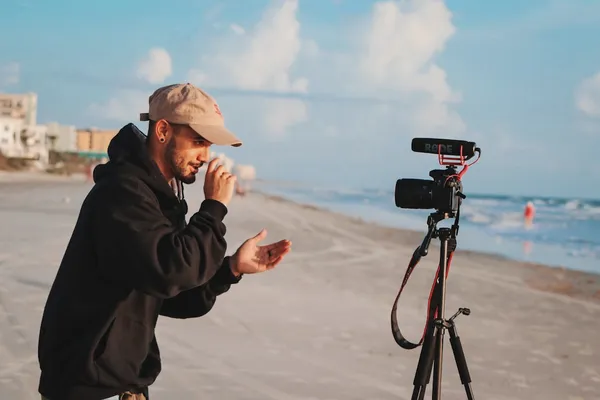
Creator filming video content to repurpose across platforms

How to Repurpose YouTube Videos

How to repurpose YouTube videos into TikToks, Shorts, and Reels — a step-by-step workflow for turning one long upload into a week of cross-platform short-form content.

Read article →
Two laptops on a desk for comparing AI video clipping tools

Opus Clip vs Vizard: Which AI Clipper Is Better in 2026?

Opus Clip vs Vizard compared for 2026 — AI clip quality, workflow, captions, pricing, and which AI video clipping tool fits your content. Plus a cheaper alternative to both.

Read article →
Content creator typing on laptop with video editing software

How Many Shorts Can You Get from One Long Video?

How many YouTube Shorts, TikTok clips, and Reels can you extract from one long video? The honest data by video type and length — plus how to maximize your clip output.

Read article →
MacBook Pro showing a group video call webinar session

How to Repurpose a Webinar into Short Video Clips

How to turn your webinar recordings into short social clips for LinkedIn, YouTube Shorts, and Instagram Reels — without hiring a video editor. Step-by-step workflow.

Read article →
Professional camera tripod set up for video filming

How to Write Viral Video Hooks (With Examples)

The 5 types of hooks that stop the scroll on YouTube Shorts, TikTok, and Reels — with real examples and a framework for writing hooks that hold attention from the first second.

Read article →
Smartphone displaying social media apps for content comparison

YouTube Shorts vs TikTok vs Instagram Reels: Which Platform Should You Prioritize?

A data-driven comparison of YouTube Shorts, TikTok, and Instagram Reels in 2026 — reach, algorithm, monetization, and which platform fits your content and goals.

Read article →
iMac desktop editing setup for video caption work

How to Add Captions to Videos Automatically

How to add accurate, auto-synced captions to any video — without typing a single word. The tools, formats, and best practices for captions that actually help your videos perform.

Read article →
Analytics dashboard showing content scheduling metrics and data

Best Time to Post YouTube Shorts in 2026

When to post YouTube Shorts for maximum reach — peak days, best time windows, and how to find the right schedule for your specific audience using YouTube Studio data.

Read article →
MacBook Pro and headphones on desk for content strategy planning

Short Form Video Strategy 2026

How to build a short form video strategy that compounds over time — content pillars, platform priorities, repurposing workflows, and AI tools that make it manageable.

Read article →
Professional studio condenser microphone for podcast recording

How to Repurpose Podcast Episodes into Short Clips

How to extract the best moments from your podcast and turn them into short-form clips for YouTube Shorts, TikTok, and Reels. Includes AI workflow and platform tips.

Read article →
Camera on tripod ready to film content for YouTube

How to Make YouTube Shorts from Long Videos

Step-by-step guide to turning any long YouTube video into Shorts — manually and with AI. Covers moment selection, captions, 9:16 reframe, and platform tips.

Read article →

Turn one video into a week of content

Short.now handles the editing. You handle the ideas.

Try it free — no card needed
3 videos/month free · No watermark